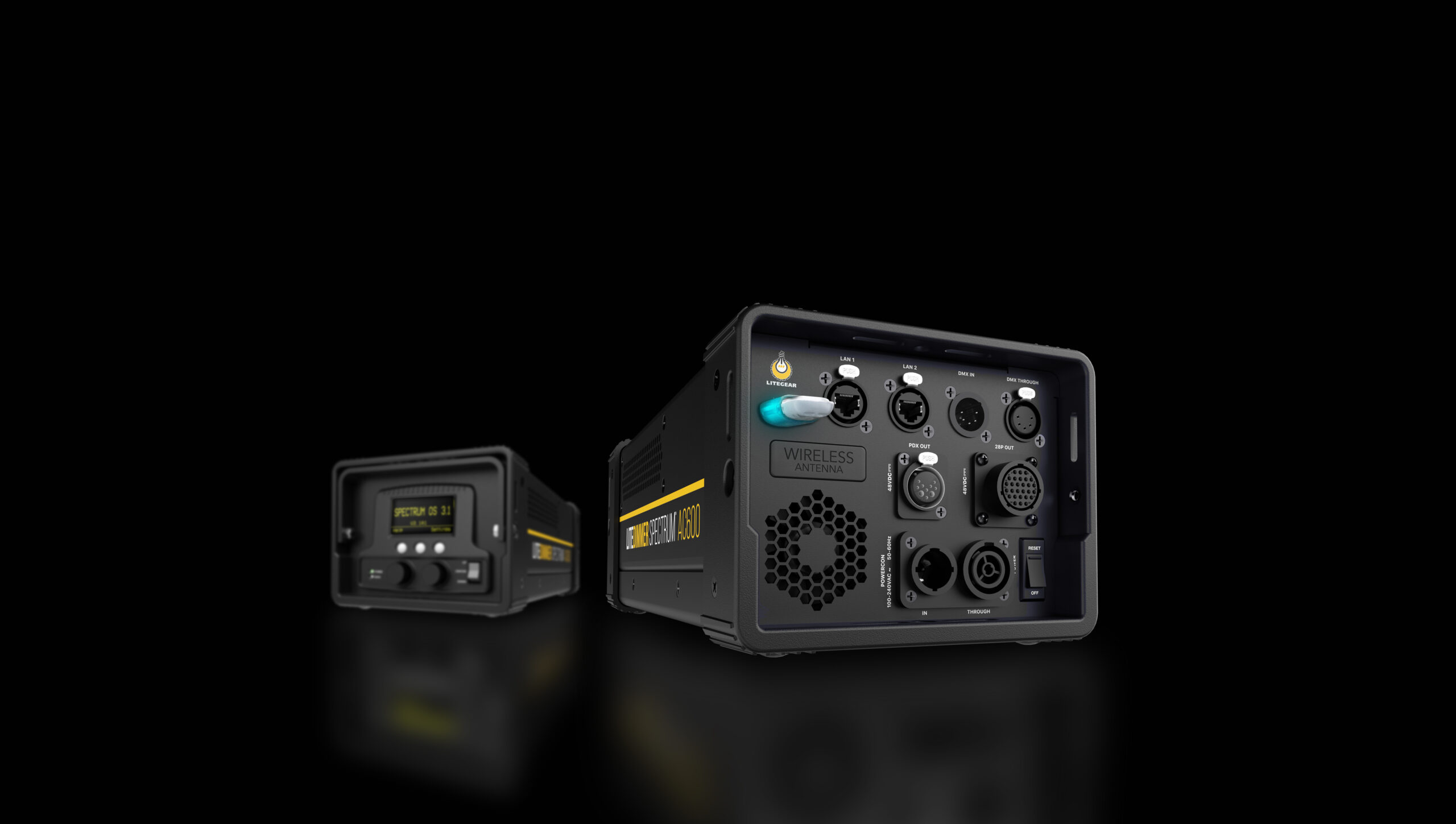
Expanded Compatibility. Greater Control. Smarter Workflows.
The next evolution of the Spectrum control platform. New color-management tools, enhanced DMX workflows, expanded networking and improved power management for LiteDimmer AC/DC 200, AC/DC 400 and AC600.
- 30 new personalities
- 3 dimmer models supported
- 1 update file
- 4 dimming curves
- Art-Net 4 + sACN built in
- RDM on by default
Core feature highlights · Color
Advanced CIE x,y Color Workflows.
OS 4.0 brings CCT-to-x,y to Series 3, so a desk can set a coordinate and the dimmer resolves it the same way across the range — 2000 to 11000 K, with tint, on the console rather than by hand at the panel.
- Professional CIE x,y DMX control modesConsole-mappable E1.54 profiles for repeatable matching.
- Dimming curve support in x,y modeLinear, Exponential, Logarithmic or S-Curve while locked to a coordinate.
- New Series 3 CCT-to-x,y personalitiesBridge CCT and tint into precise x,y from the console.
- Selectable color-space workflowsWith added RDM color-space discovery support.
CIE 1931 color picker
Drag the target, use the arrow keys, or pick a preset. The readout and the fixture preview follow.
Planckian locus, lines of equal CCT and equal tint, the commandable white range, and the n-step MacAdam ellipse around the selection.
- x
- –
- y
- –
- CCT
- –
- Δuv
- –
- Tint on the dimmer
- –
- From the locus
- –
- 1 tint step here
- –
- 100 K here
- –
Dimming curve in x,y mode
Switch the curve while locked to the coordinate above.
DMX in → light out
Same coordinate · no hue shift
Hardware support
Compatible Across the Spectrum Family.
Spectrum OS 4.0 is compatible with the LiteTile Spectrum, LiteMat Spectrum and Auroris engines, with native calibration and bi-directional LiteNet. The dimmer reads temperature, voltage and current from every panel, shows them on the front panel, logs faults, and reports rig-level sensors to the console over RDM.
- Engines supported
- 3
- Usable personalities
- 30
- Existing functions changed
- None
DMX personalities for LiteTile Spectrum
Intensity: color hold demo
Drag the level. The readout states whether the coordinate is held at that light output.
100%
Color holdheld
Below about 0.5% of full output the dimmest emitter of the mix nears its driver turn-on point, so the mix can drift. Intensity still fades smoothly to black.
Power and output
Intelligent Power and Output Control.
Color is solved once and all six emitters dim together, so the white point holds as you dim, down to about 0.5% of full output (3% DMX on the default Exponential curve). Below that, intensity still fades smoothly to black.
- Per-panel video RGB intensity limitingDynamically caps maximum RGB output panel by panel, managing power draw and safely matching bright LED video volumes.
- Per-emitter safety capsUpgraded panel firmware enforces strict power limits on every individual LED emitter under heavy load.
Networking
Network-First Efficiency.
The dimmer takes sACN (E1.31) and Art-Net 4 on the same cable run, and can pass that universe out its own 5-pin DMX Thru — so a separate gateway box need not be rigged, powered and fault-found.
RDM device discovery
On out of the box. Discover the rig from the desk over wired DMX or Art-Net, then press Identify to flash a dimmer on the truss.
Universes and addresses arrive over sACN (E1.31) or Art-Net 4 on the same cable run. Switch Gateway on in Settings › Art-Net & sACN and the dimmer sends that universe out its own 5-pin DMX Thru, so no separate gateway box has to be rigged. RDM itself runs on wired DMX and Art-Net, not sACN.
Ports and connections
Every Port You Need.
The built-in gateway means the network goes in and DMX512 comes out of the same box, with no external nodes to rig, power and fault-find.
Hover or focus a callout to name the port.
On the ballast
Hands-On Local Operations.
Everything the on-set technician already relies on, unchanged. The simulator below is the dimmer’s own display and button code running in the browser, so what you press here is what the hardware does.
LiteDimmer SPECTRUM front panel
Drag a knob up or down to turn it, or use the wheel and arrow keys. Click a knob to push it, hold it a second for a long push. The keys behave like the switches, so AUD only cuts the output while it is held.
Screen
AC/DC 200 and 400 · local Spectrum mode · no DMX input
On camera
Flicker-Free Where It Counts.
A rolling-shutter camera exposes the frame one line at a time, so any ripple in the light arrives as bars rolling through the picture. Drag the shutter and see which light stays clean.
No roll bars at any shutter of 1/1700 s or longer — about twice the shutter range of Spectrum Gen 2. 180° and 90° stay clean at every frame rate we tested up to 240 fps, and at 24 fps you can stop down to a 5° shutter and still see nothing.
Tested on a RED Gemini 5K at 2K, 23.976–239.76 fps, 1°–180° shutter, at 3200 K and at 25 % and 100 % intensity.
Get the update
One File. Every Dimmer.
A more intuitive, more flexible control experience for programmers, technicians and lighting professionals. Spectrum OS 4.0 covers LiteDimmer AC/DC 200, AC/DC 400 and AC600, with full release notes and updated DMX personality charts.